
For over a decade, Pocket was the default read-it-later tool for millions of people. Articles, developer docs, product pages, and research links could be saved with one click into a clean reading queue. When Pocket shut down, it did more than remove a popular app from the market. It exposed a much bigger weakness in how people store knowledge online.
Overview
For over a decade, Pocket was the default read-it-later tool for millions of people. Articles, developer docs, product pages, and research links could be saved with one click into a clean reading queue. When Pocket shut down, it did more than remove a popular app from the market. It exposed a much bigger weakness in how people store knowledge online.
When your saved library lives entirely inside someone else's cloud, your archive is only safe until that company changes direction. Years of reading lists, references, and curated links can disappear because of a product decision that has nothing to do with your own workflow.
That is why the best Pocket alternatives in 2026 are not only about article reading anymore. People now want tools that handle mixed web content, protect privacy better, support visual organization, and make long-term access more reliable.
This guide compares ten Pocket alternatives through that lens: privacy, speed, visual organization, and long-term reliability.
The Death of Cloud Silos: Why Pocket's Shutdown Changed Web Bookmarking Forever
The post-Pocket landscape is not just about replacing a save button. The way people use the web has changed.
- Multi-format assets matter more. People save UI references, code snippets, PDFs, interactive pages, product examples, and social posts, not only text articles.
- Local-first and self-hosted options matter more. Users care more about data sovereignty and less about handing a full personal archive to a black-box cloud.
- Visual organization matters more. Endless text queues break down when your archive includes design inspiration, mixed media, or project references.
The strongest Pocket replacements in 2026 solve different versions of that problem. Some stay focused on reading. Some become full bookmark managers. Some move into visual archiving and local-first workflows.
Pocket Alternatives at a Glance
Here is the short version of the market before we go tool by tool.
| App | Best For | Storage Architecture | Visual Previews | Pricing |
|---|---|---|---|---|
| Keep Mates | Privacy, Visual Bookmarking & Creative Asset Organization | Local-First (Browser/Local Storage) | Full Rich Previews & Boards | Free / Transparent Model |
| Raindrop.io | All-in-one cloud bookmarking & nested collections | Cloud-hosted (Encrypted) | Card / Board / List Views | Free / $3.00/mo |
| Wallabag | Open-source purists & e-reader owners | Self-Hosted / Dedicated Cloud | Text & Minimal Thumbnails | Free Self-Hosted / €11/yr |
| Readwise Reader | Academic power readers, highlights & RSS | Cloud-hosted | Clean Article Layouts | $9.99 - $12.99/mo |
| GoodLinks | Apple ecosystem minimalists (iOS/macOS) | Local + iCloud Sync | Compact Text / List | $9.99 One-time |
| Instapaper | Traditional speed reading & Kindle delivery | Cloud-hosted | Text-Focused | Free / $5.99/mo |
| Linkwarden | Collaborative teams & link archiving | Self-Hosted / Cloud | Preserved Web Snapshots | Free / $4.00/mo |
| Matter | Design-centric reading & audio narration | Cloud-hosted | Curated Reader UI | Free / $8.00/mo |
| Pinboard | Minimalist raw link archiving | Cloud (Plain Text Index) | Plain Text List | $22/year |
| SaveForLater | Lightweight single-click saving | Cloud-hosted | Basic Grid | Free / $3.00/mo |
1. Keep Mates
If Pocket's shutdown proved anything, it is that relying on remote servers to store your saved web life is a long-term risk. Keep Mates approaches the problem from a different angle by focusing on local-first saving, visual organization, and control over your archive.
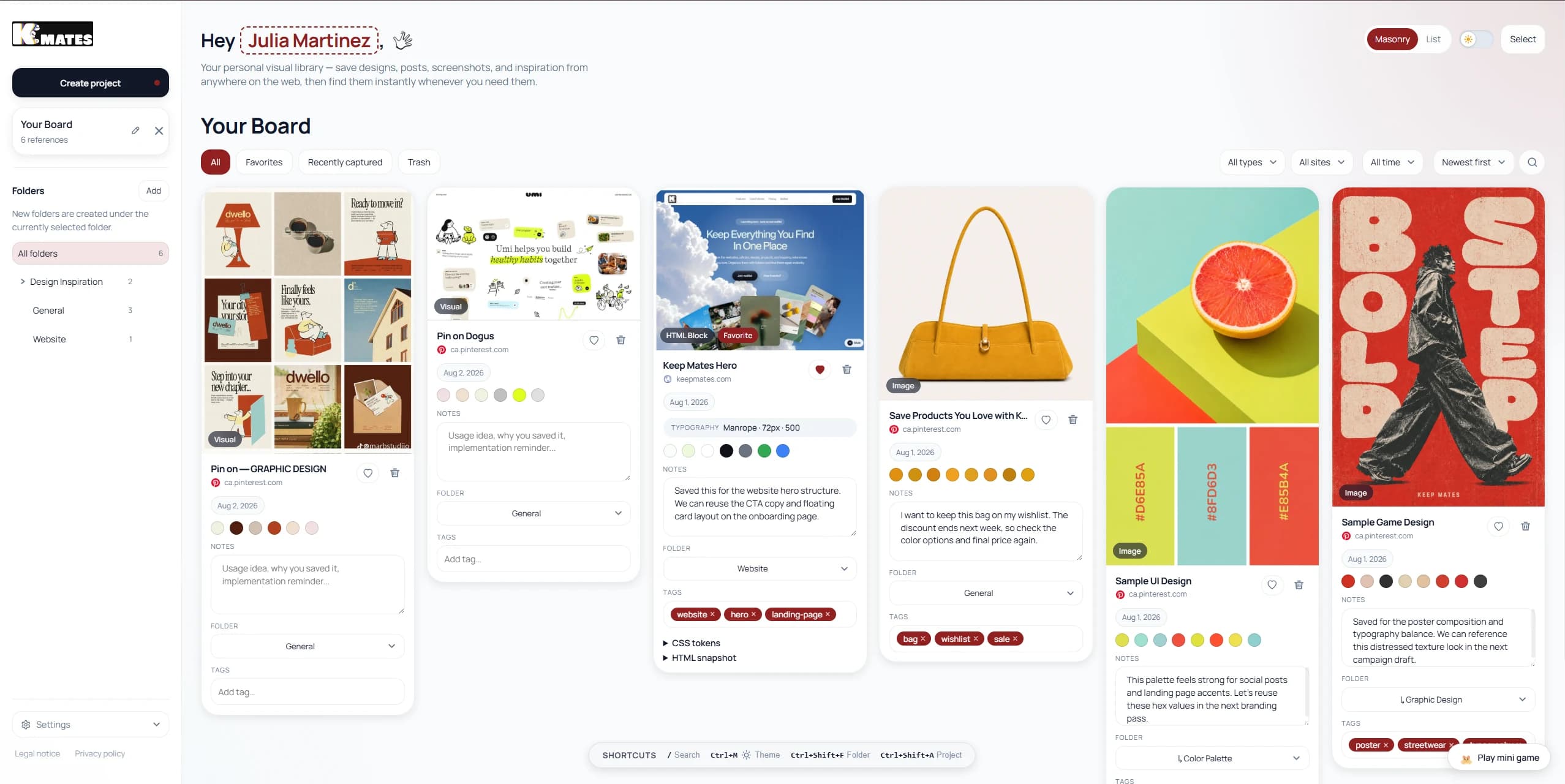
Pocket was designed mainly for text articles. Keep Mates is built for the modern web, where what you save may include pages, images, posts, product references, design inspiration, colors, fonts, and mixed visual material. Instead of dropping everything into a flat list, it gives you a visual archive with folders and fast retrieval.
Because the product is oriented around local-first storage, it is especially attractive for users who now see cloud dependence as the real problem exposed by Pocket's shutdown. If your old Pocket queue was already doing double duty as a reading list, inspiration board, product swipe file, and research archive, Keep Mates is much closer to what that workflow actually became.
One of the biggest reasons to choose Keep Mates over traditional read-it-later apps is that it does not reduce everything to article text. A landing page, a social post, an image-heavy reference, or a product detail page still keeps its visual identity. That makes retrieval much easier later, especially when you remember what something looked like more than what its title was.

Keep Mates also fits creative and research-heavy workflows better than most Pocket replacements. Designers can save visual inspiration, marketers can keep competitor references, developers can store UI patterns and useful pages, and researchers can keep mixed project material in one place without flattening it into a text queue.
- Why choose Keep Mates: It is built for people who save more than articles and want a system they can actually navigate visually later.
- Privacy advantage: A local-first approach reduces the feeling that your archive is living on borrowed infrastructure.
- Visual organization: Folders, previews, and mixed-content saving make it stronger than text-only queues for real-world browsing habits.
- Feature depth: It can save pages, posts, images, and design references like colors and fonts instead of treating everything as the same kind of item.
- Retrieval speed: Visual recognition plus local storage makes resurfacing old references faster when the archive grows.
- Best for: Privacy-conscious users who want visual bookmarking and local-first control
- Strengths: Local-first direction, visual folders, fast retrieval, mixed-content saving
- Pricing: Free to get started
2. Raindrop.io
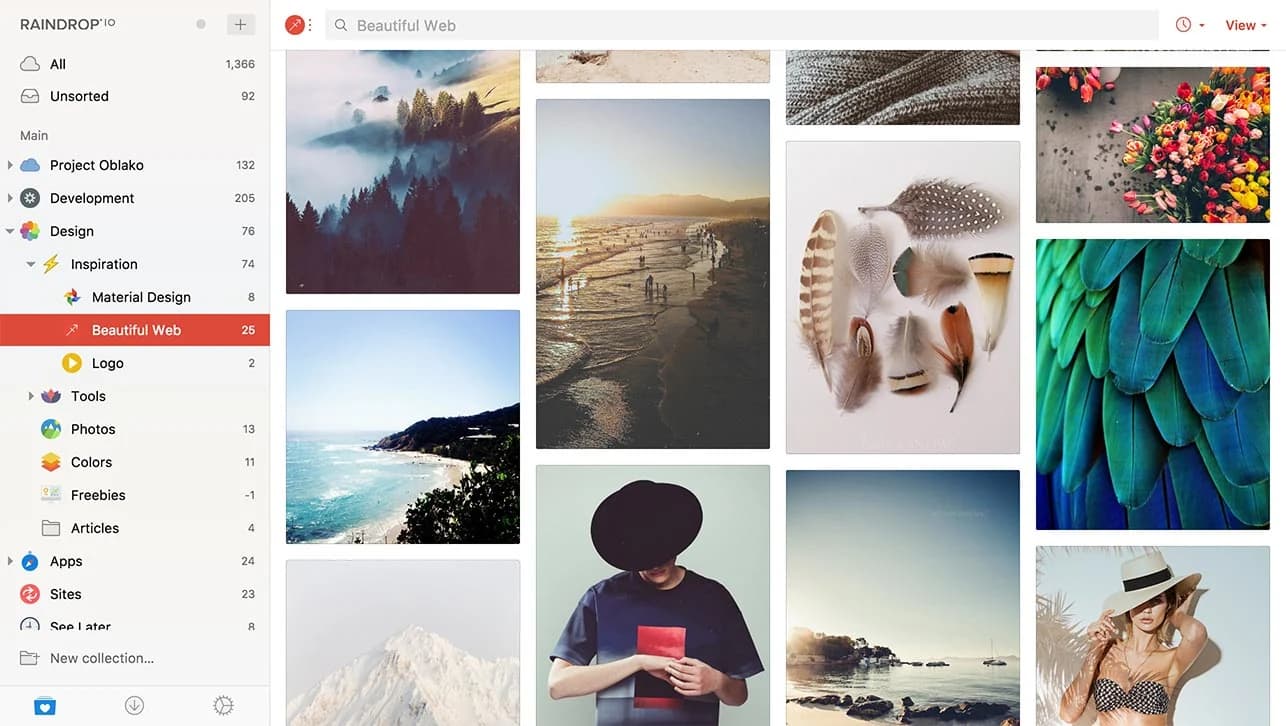
Raindrop.io is one of the strongest general-purpose bookmark managers on the market. It works well for users who still want a cloud-based tool but need much better structure than Pocket ever offered.
Collections, tags, and multiple visual views make it more flexible than a simple reading queue. It is one of the easiest options to recommend to users who want a polished cloud replacement without moving into self-hosting or local-first workflows.
- Best for: People who want a polished all-purpose cloud bookmark manager
- Strengths: Nested collections, multiple layouts, cross-device sync
- Pricing: Free tier available, paid plan for advanced features
3. Wallabag
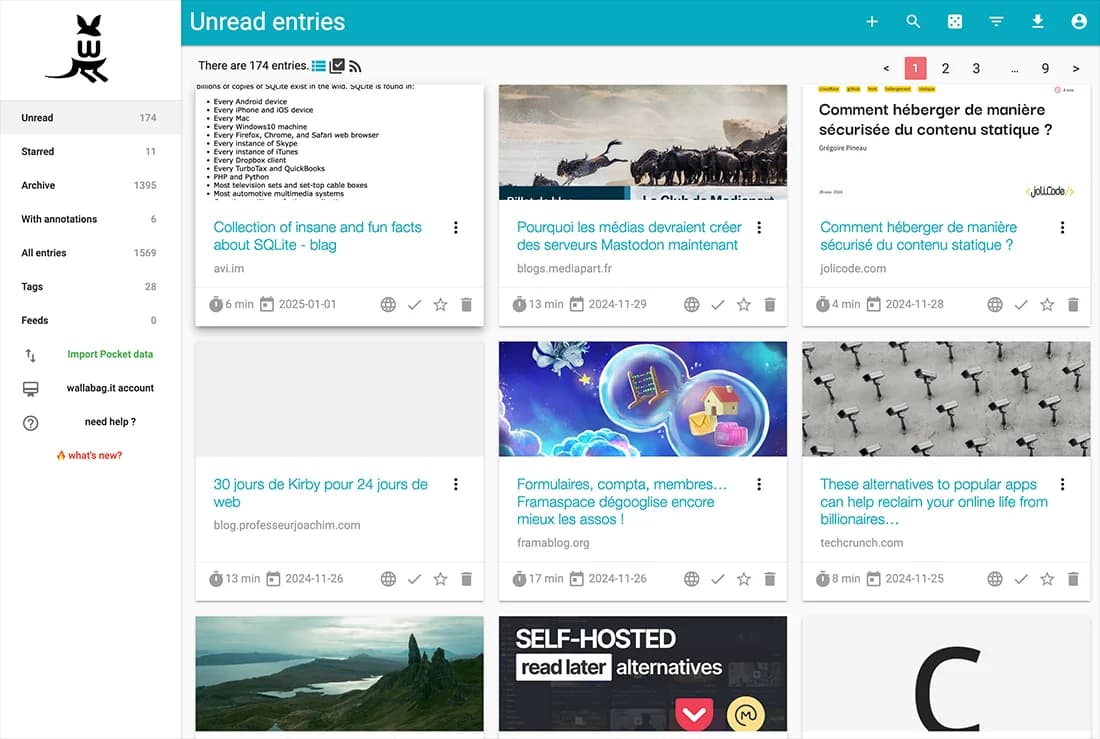
Wallabag remains one of the clearest choices for people who want a true open-source alternative to Pocket's article-saving model. It is built around clean reading, self-hosting, and control over your own data.
It is especially strong for users who still think in terms of a reading queue rather than a broader mixed-content archive. If your goal is still to save articles, strip distractions, and read later with better ownership, Wallabag is one of the best fits available.
- Best for: Open-source users who want article-focused saving and reading
- Strengths: Self-hosting, clean reader, e-reader integrations
- Pricing: Free if self-hosted, paid hosted option available
4. Readwise Reader
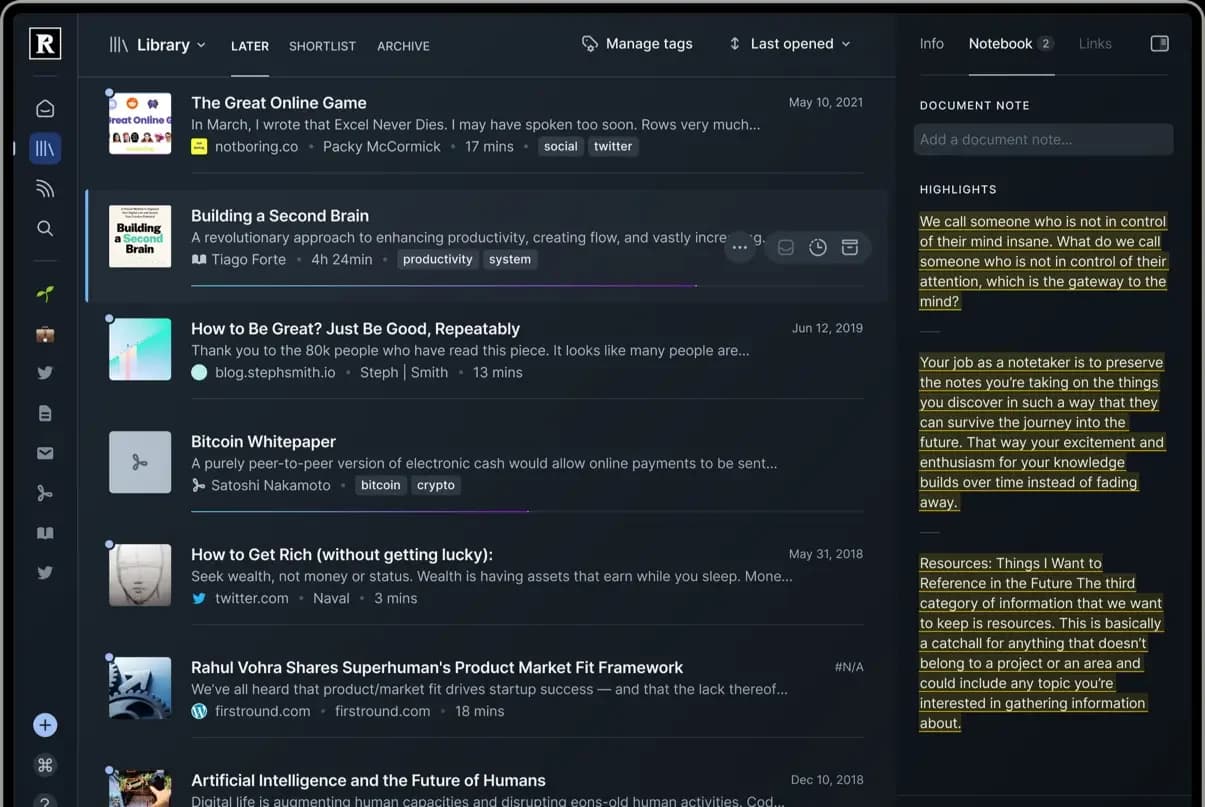
Readwise Reader is one of the strongest tools for users who want saved content to feed directly into a research or study workflow. It handles highlights, newsletters, RSS, PDFs, and cross-referencing far better than Pocket ever did.
If your old Pocket habit was really about academic reading, knowledge capture, or building a serious review system, Readwise Reader is one of the best premium options in the category.
- Best for: Researchers, heavy readers, and highlight-driven workflows
- Strengths: Multi-format reading, rich annotations, strong study workflow
- Pricing: Premium subscription
5. GoodLinks
GoodLinks is a strong option for Apple-only users who want a straightforward reading tool without another recurring subscription. It is narrow by design, which is part of its appeal.
It works best for people who still want the classic save-now-read-later behavior, but want it in a lighter, more local-feeling package.
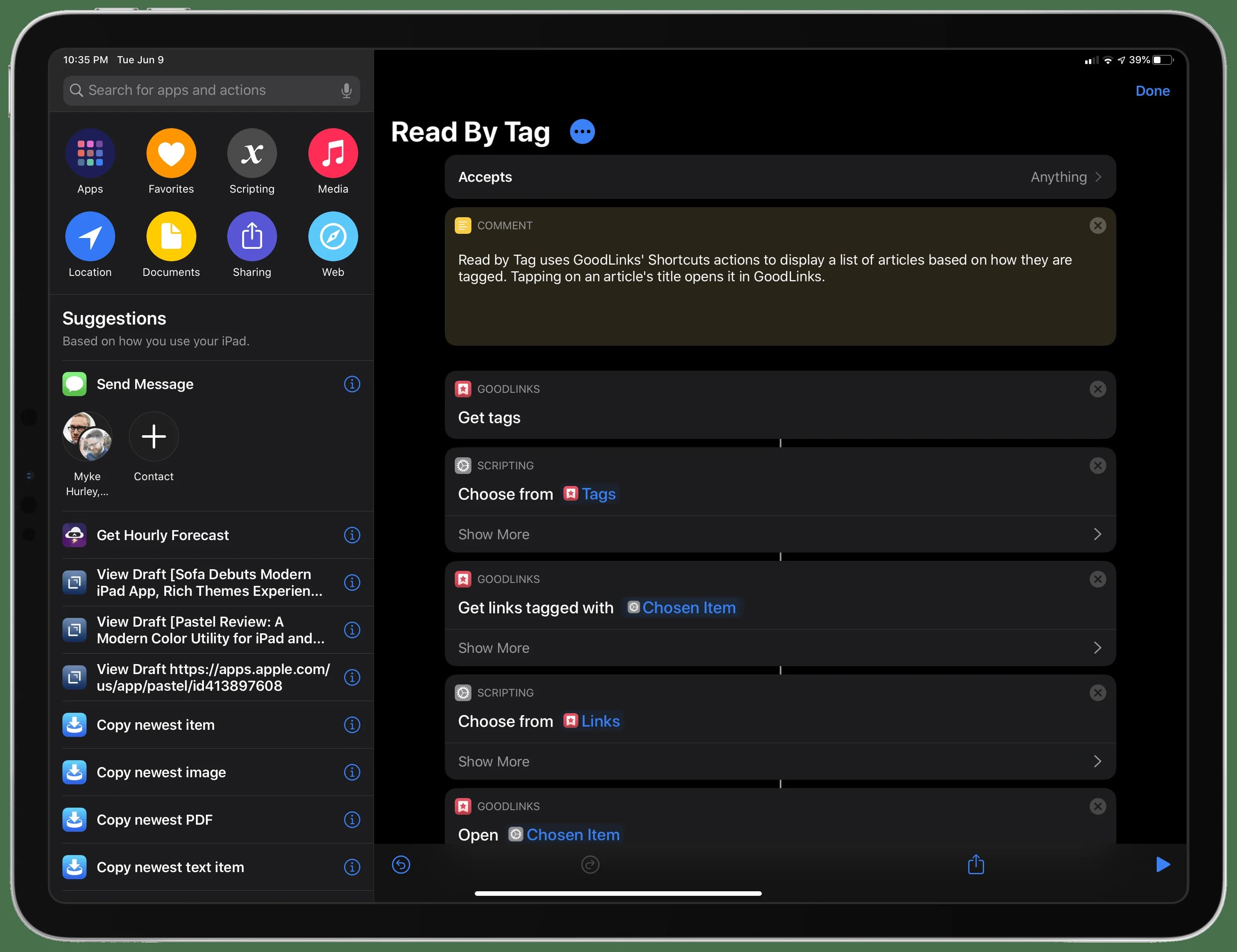
- Best for: Apple users who want a simple, low-friction read-it-later app
- Strengths: Native Apple experience, one-time purchase, low friction
- Pricing: One-time purchase
6. Instapaper
Instapaper is still relevant because some users want something close to the older Pocket model: article-first saving, clean typography, and a reading workflow that stays simple.
It is not as broad as newer archive tools, but if your library is mostly essays, analysis, newsletters, and long-form writing, Instapaper still does its core job well.
- Best for: Traditional read-it-later users focused on articles
- Strengths: Article reading focus, simple workflow, familiar interface
- Pricing: Free tier and paid premium plan
7. Linkwarden
Linkwarden is a strong fit for users who care about preserving web pages, preventing link rot, and collaborating around saved material. It sits closer to structured archiving than to classic read-it-later behavior.
If your old Pocket archive had become part research library and part shared resource, Linkwarden is much better aligned with that reality than a pure reading queue.
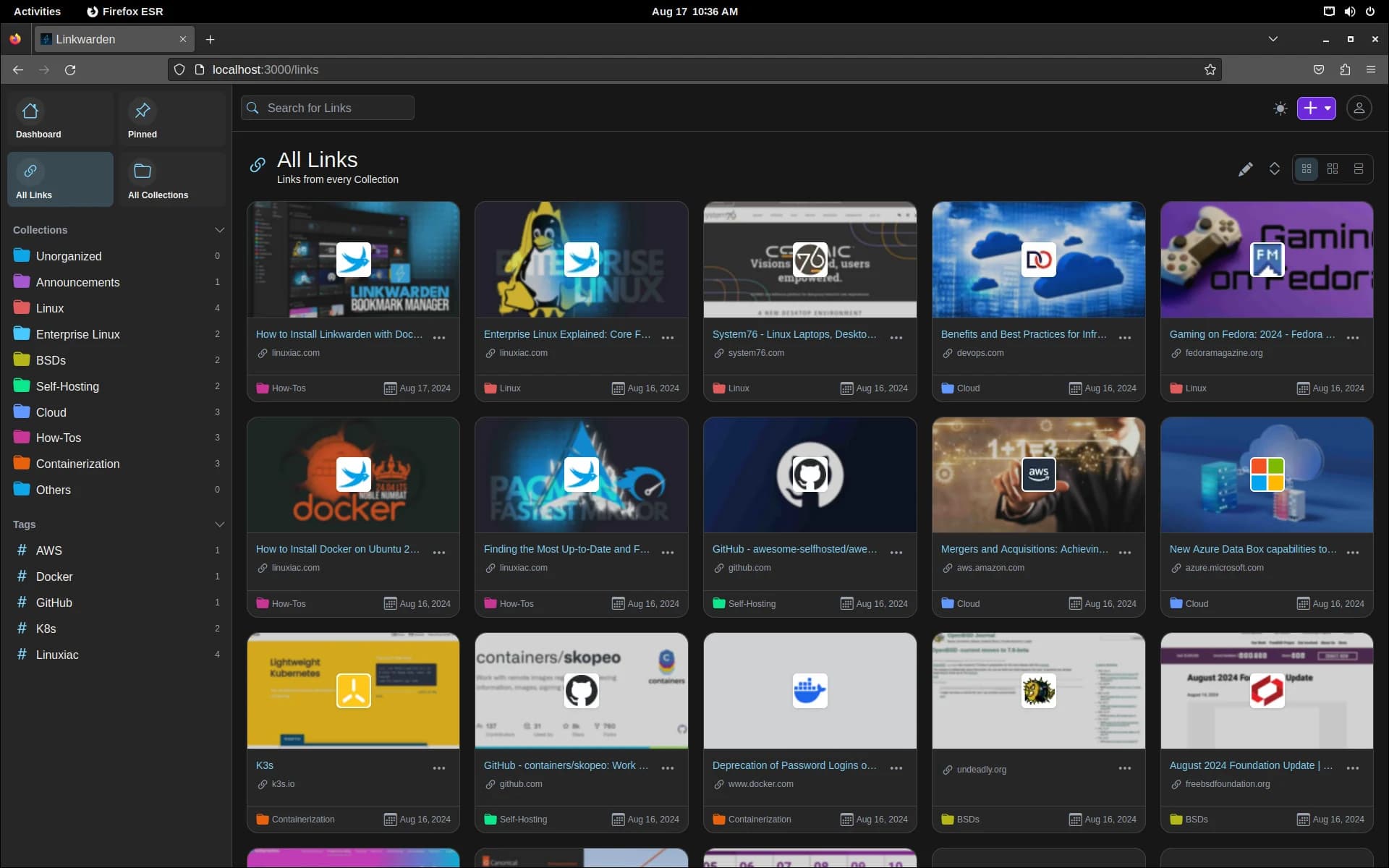
- Best for: Teams, collaborators, and users who care about archived snapshots
- Strengths: Archiving, collaboration, preserved page snapshots
- Pricing: Free if self-hosted, paid hosted option available
8. Matter
Matter is a polished reading product aimed at people who treat their saved content as an editorial queue. It is especially appealing for newsletter readers and people who like audio narration.
Compared with Pocket, it feels more premium and more curated, but also narrower. It is not the best fit if your saves include lots of mixed content or visual reference material.
- Best for: People who treat saved content as a reading feed
- Strengths: Clean reader, audio narration, premium feel
- Pricing: Free tier and paid premium plan
9. Pinboard
Pinboard is still one of the best options for users who want pure utility. It strips bookmarking down to speed, text, and long-term stability.
For some people, that simplicity is the whole point. For others, especially users coming from Pocket who now want previews and richer browsing, it may feel too minimal.
- Best for: Minimalists who want fast, no-frills link archiving
- Strengths: Lightweight, durable, fast search
- Pricing: Annual paid plan
10. SaveForLater
SaveForLater is aimed at users who want something lightweight, cloud-based, and easy to understand. It is not the most advanced tool in the category, but it can work for people who want quick capture without much configuration.
It is easiest to recommend for casual users rather than people building a serious archive of mixed content over time.
- Best for: Casual users who want basic saving without a complex setup
- Strengths: Easy onboarding, simple capture
- Pricing: Free tier and paid storage upgrades
How to Choose the Right Pocket Replacement in 2026
The right choice depends less on brand recognition and more on your real workflow.
- If your main need is visual organization and data privacy, Keep Mates is the strongest fit.
- If you want an all-in-one cloud bookmark manager, Raindrop.io is one of the safest choices.
- If you want a self-hosted read-it-later tool, Wallabag is still one of the best options.
- If your priority is study, highlights, and note-taking workflows, Readwise Reader is the better fit.
The fastest way to choose well is to inspect the last twenty things you intentionally saved online. If most of them are articles, pick a reader. If most are mixed references, pick an archive. If the visual layer matters as much as the text, move away from list-first tools.
How to Export and Migrate Your Data
If you still have an old Pocket export or a browser bookmark export, do not wait to test it.
- Locate your export file in HTML or CSV format
- Import a real sample into the tool you are evaluating
- Check whether titles, dates, tags, and metadata still make sense
- Reorganize old saves into folders or collections you will actually use
- Prefer tools that let you export again in a standard format
Final Verdict
The era of trusting a single cloud service with your entire saved web archive looks a lot less comfortable after Pocket's shutdown. The best Pocket alternatives in 2026 are the tools that give you better control, better retrieval, and a structure that fits how you actually save things now.
If you mainly save articles to read later, reader-first tools still make sense. But if your archive includes inspiration, research, pages, posts, and references you need to find again fast, then a broader archive tool is the better answer.
For users who care most about privacy, speed, and visual organization, Keep Mates stands out because it treats saved content as a library you control, not just a reading queue living on someone else's servers.
FAQ
What is the best Pocket alternative in 2026 for privacy and visual organization?
Short Answer
Keep Mates is one of the strongest options if your priority is local-first direction, mixed-content saving, and visual retrieval rather than only article reading.
What is the closest Pocket replacement for article reading?
Short Answer
Wallabag and Instapaper are two of the clearest choices if your main need is still article-first reading with a simpler queue-based workflow.
What if I save more than articles?
Short Answer
If your archive includes product pages, screenshots, social posts, inspiration, and mixed references, a broader visual archive such as Keep Mates or a general bookmark manager such as Raindrop.io will fit better than a pure reader.
Are self-hosted Pocket alternatives worth it?
Short Answer
They are worth considering if control, privacy, and exportability matter more to you than setup simplicity. Wallabag and Linkwarden are two of the clearest options in this list for that trade-off.
Should I choose a cloud app or a local-first tool?
Short Answer
If long-term control matters, lean toward local-first, self-hosted, or at least strongly export-friendly tools. Pocket's shutdown made that trade-off much more important than it used to seem.
Related Reading
Continue with the most relevant follow-up guides.
If you are still comparing tools after this article, the best next step is to keep the linking contextual instead of jumping into a generic card grid. These follow-up articles extend the exact decision you are making here.
If this article made you compare adjacent options, read Looking for Omnivore Alternatives? The Best Lightweight and Visual Tools for Saving Web Content. Searching for the best Omnivore alternatives? Discover how lightweight, visual, and local-first bookmarking tools like Keep Mates can level up your web archiving.
If this article made you compare adjacent options, read Best Omnivore Alternatives in 2026. Omnivore shut down in 2024 after the ElevenLabs acquisition. Compare the best 2026 alternatives for saving, reading, and organizing web content.
If this article made you compare adjacent options, read Best Pocket Alternatives in 2026 (Now That Pocket Is Gone). Compare the best Pocket alternatives in 2026 for reading later, saving links, and organizing web content after Pocket shut down.
For broader research, browse the full blog archive for more comparisons, bookmarking guides, and read-it-later alternatives.
Ready to organize what you save?
Use the same research habit inside a cleaner archive.
Keep Mates helps you save pages, images, posts, colors, and fonts into folders so the references you collect stay usable after the tab is gone.
