
 Add to Chrome
Get started
Keep Mates documentation
Welcome to Keep Mates. Whether you are just getting started or trying to make your archive cleaner and faster, this documentation will help you get more out of the extension.
Keep Mates is a local-first visual bookmarking workflow for saving pages, references, colors, fonts, and mixed web content without turning everything into a cluttered bookmark folder.
Personalize
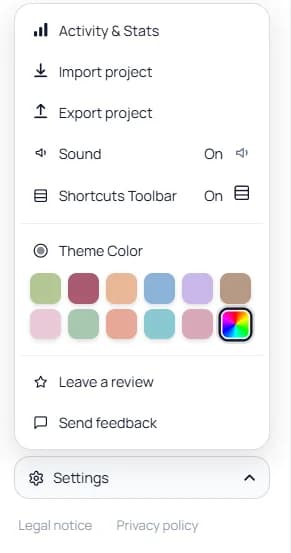
Change the theme color from Settings
You can change the board theme color from the Settings panel inside Keep Mates. This is useful if you want the workspace to feel more personal or easier to scan while you work.
Open Settings, find Theme Color, and choose the palette that feels best for your workflow.
Overview
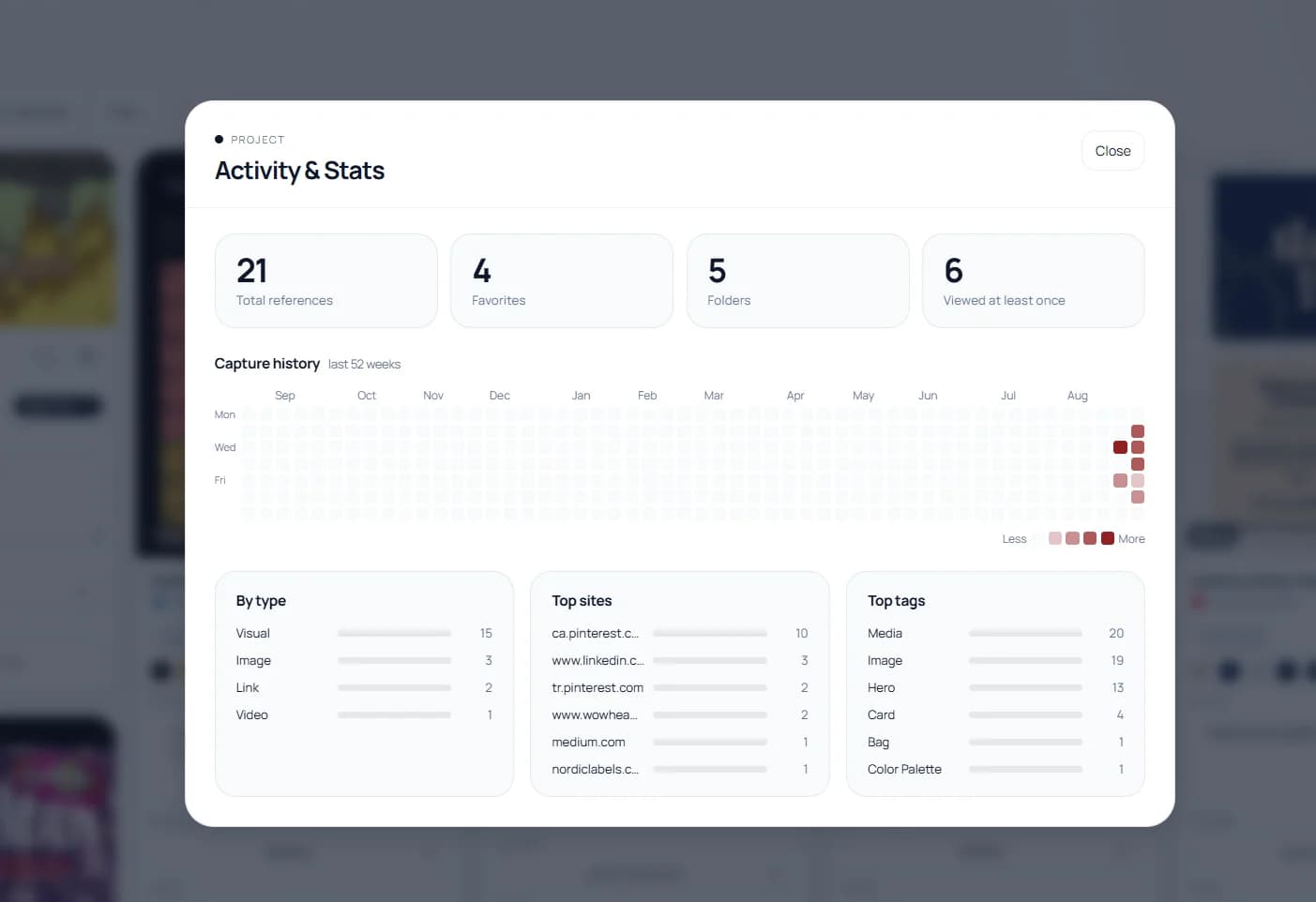
Check Activity & Stats for the current project
Activity & Stats gives you a quick snapshot of the current project. It shows totals such as references, favorites, folders, and viewed items, plus a clearer breakdown of capture history, top sites, top tags, and content types.
This is useful when you want to understand how a board is growing, which sources dominate it, or whether the structure is still balanced enough to stay easy to use.
Appearance
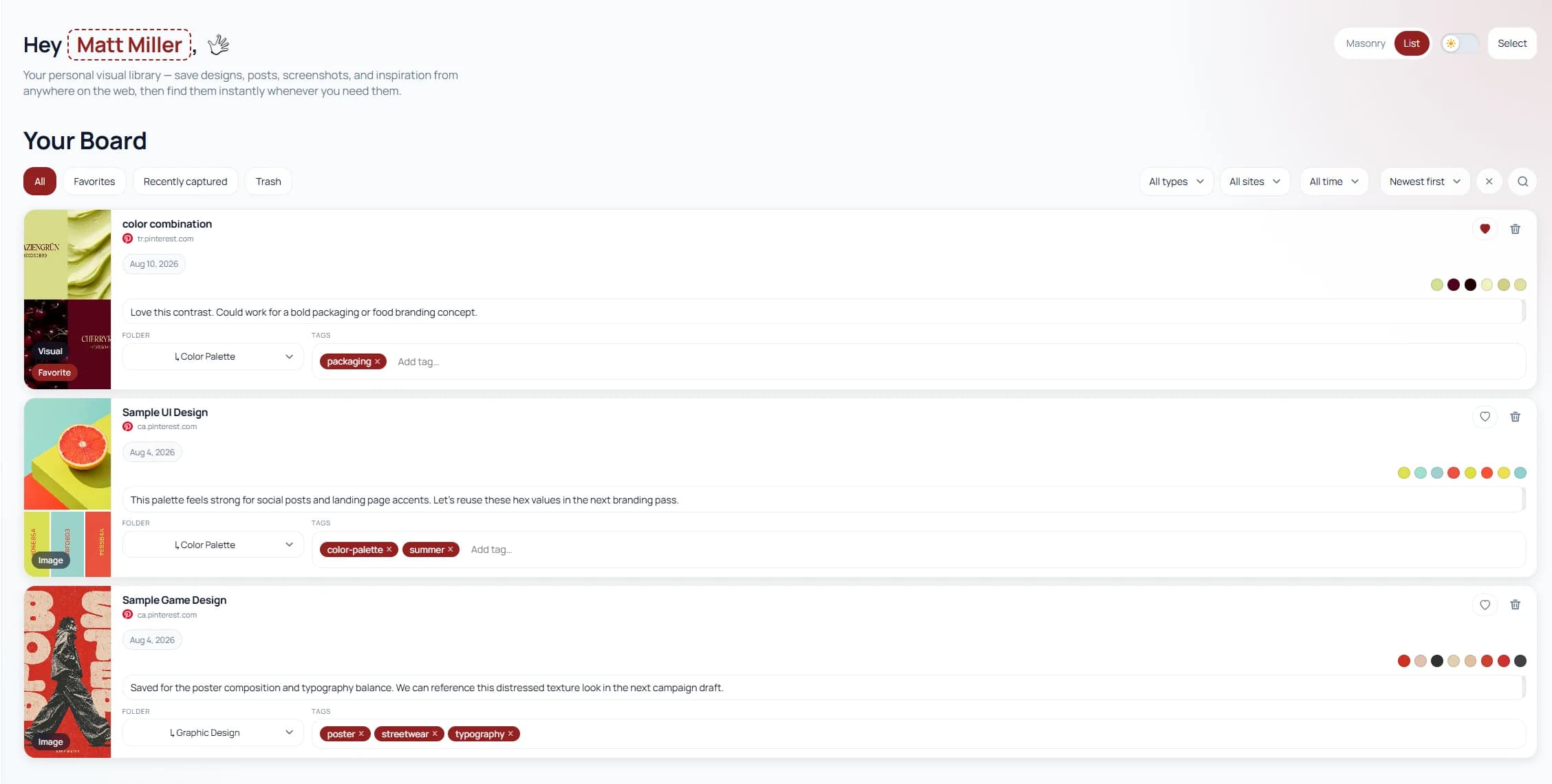
Switch between Masonry and List view
Keep Mates lets you change the board layout depending on how you want to review saved references. Masonry works well for visual scanning, while List view is often easier when you want a more structured, row-based reading experience.
Use the view toggle in the top-right area of the board to switch between Masonry and List. List view is especially useful when notes, folders, tags, and metadata matter more than a dense visual grid.
Appearance
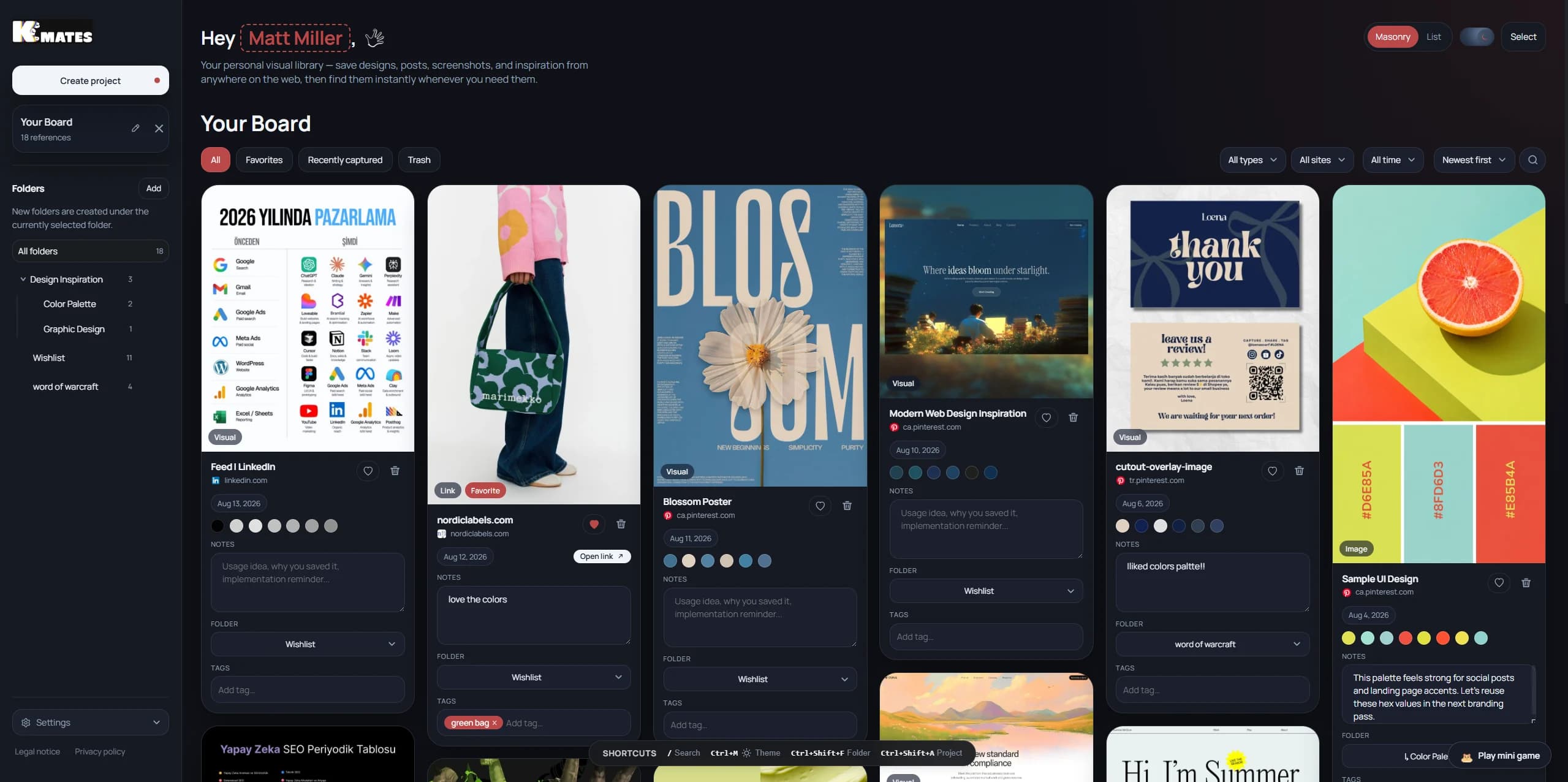
Use dark mode for a calmer workspace
Keep Mates also supports a dark interface mode for people who prefer a lower-glare workspace while browsing and organizing references for longer sessions.
Dark mode can make dense boards feel easier on the eyes, especially when you are reviewing lots of saved visuals, notes, tags, and folders in one sitting. You can combine it with your preferred theme color and switch views without changing the rest of your workflow.
Start with bookmarks
Save the page first, then build the rest of your workflow from there.
Popular guides:
Installation
Install the extension, pin it, and get ready to save in one click.
Images
Save visual references while keeping them tied to the source page.
Boards
Group references into project-based or theme-based visual spaces.
Search
Find saved references faster with better naming and lighter structure.
Subscription
Understand Starter, Pro, license access, and account-managed billing.