
 Add to Chrome
Save
Articles
Keep articles connected to projects, topics, and the rest of your research.
Articles are often saved with good intentions and never reopened. Keep Mates works best when articles are part of a broader archive instead of one endless reading backlog.
Use articles inside topic-based collections
A smaller article collection tied to one topic is usually more useful than a single giant later list.
That structure keeps the saved reading closer to the work it supports.
- 1
Open the article page you want to keep.
- 2
Right-click on the page and open the Keep Mates menu.
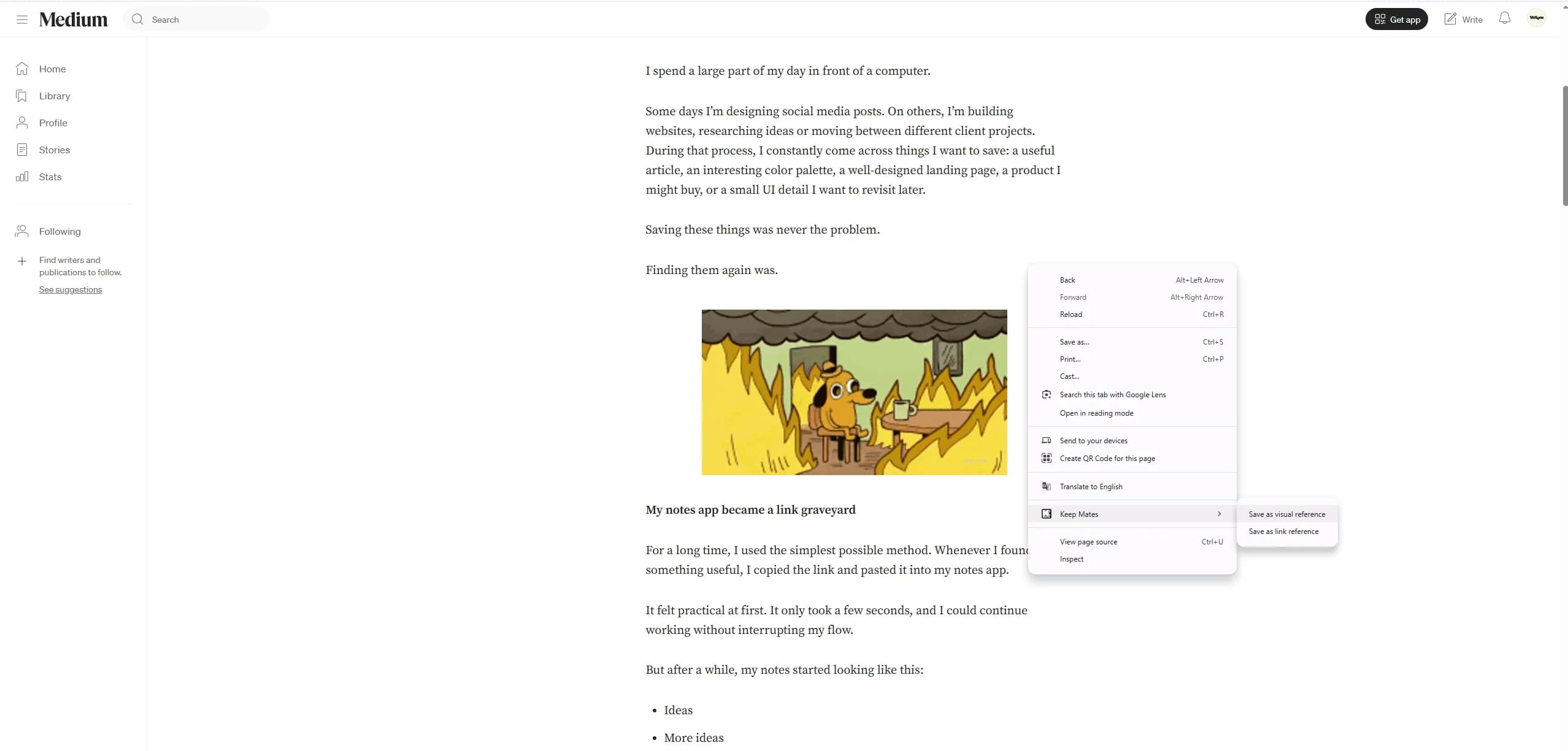
Saving articles directly from the page keeps the source close to the rest of your research instead of pushing everything into one endless reading backlog. - 3
Save it as a link reference or visual reference depending on whether the page or the visual detail matters more.
Pro tip: Articles become much easier to reuse when you save them into topic-based folders instead of one giant read-later pile.
Mix articles with the rest of your archive
Articles often make more sense when they sit beside examples, product pages, posts, and visual references in the same research space.