
 Add to Chrome
Account
Subscription
See how Starter, Pro, billing, and device access work in Keep Mates.
To move from Free to Pro, open the side panel, click Upgrade to Pro, complete the payment, then paste your license key and activate it on this device.
Upgrade to Pro from the side panel
If you are on the Free plan, the side panel shows an Upgrade to Pro button inside the plan card. This is the starting point for moving to the paid plan.
After you complete the payment, Keep Mates gives you a license key through the purchase confirmation flow. You will use that key to turn Pro on for the current device.
- 1
Open the Keep Mates side panel and scroll to the plan card under your board and folder selectors.
- 2
Click Upgrade to Pro to open the purchase flow and buy the Pro package.
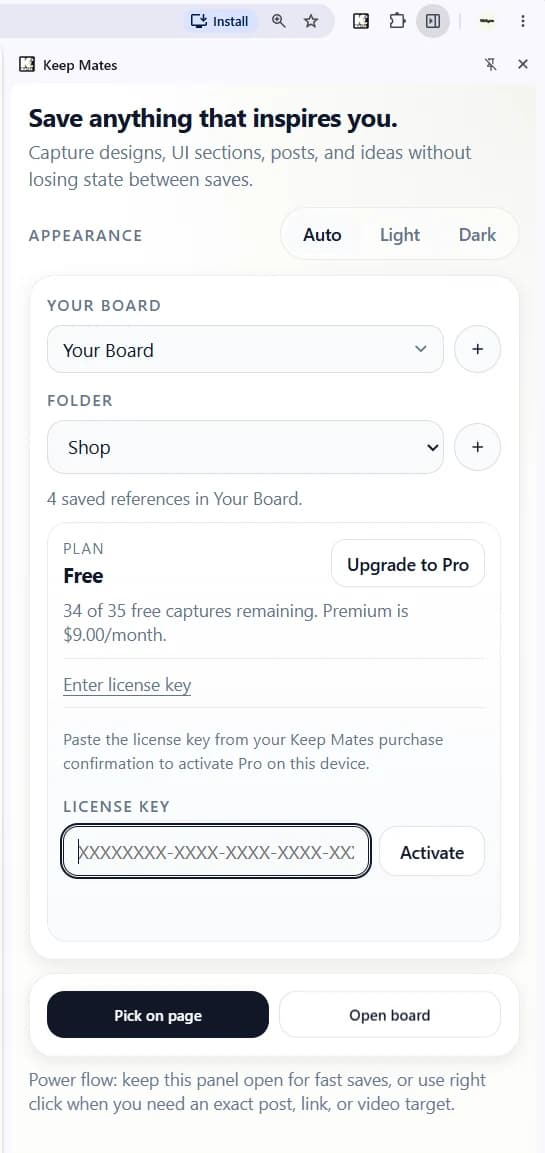
The Pro upgrade flow starts directly from the plan card in the side panel. - 3
After payment, copy the license key from your Keep Mates purchase confirmation.
Pro tip: If you do not see the key immediately, check the purchase confirmation page or email and copy it exactly as provided.
Paste the license key and activate Pro
Once you have the license key, return to the same plan card in the side panel. Keep Mates includes a dedicated license key field and an Activate button for this step.
Paste the key, click Activate, and the device will switch from Free to Pro after successful verification.
- 1
Paste your purchased license key into the License Key field.
- 2
Click Activate to apply the Pro license on this device.
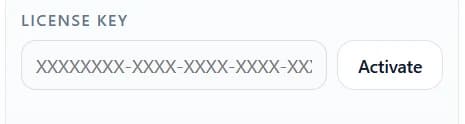
Paste the purchased key and use Activate to enable Pro on the current device. - 3
Confirm that the plan status changes from Free to Pro and the license becomes active.
Important: Paste the key without extra spaces or missing characters. If the key is invalid, copy it again from the purchase confirmation before retrying.
Understand the Free and Pro limits
The Free plan is meant for getting started. It gives you 35 saves, 5 folders, and 1 board so you can test the workflow before committing to a larger archive.
Pro removes those working limits for ongoing use. If you need more than one board or want to save without worrying about caps, Pro is the plan built for that.
- Free: 35 total saves, 5 folders, and 1 board.
- Pro: unlimited saves, unlimited folders, and unlimited boards.
- Pro also fits larger day-to-day libraries better once the archive starts growing.
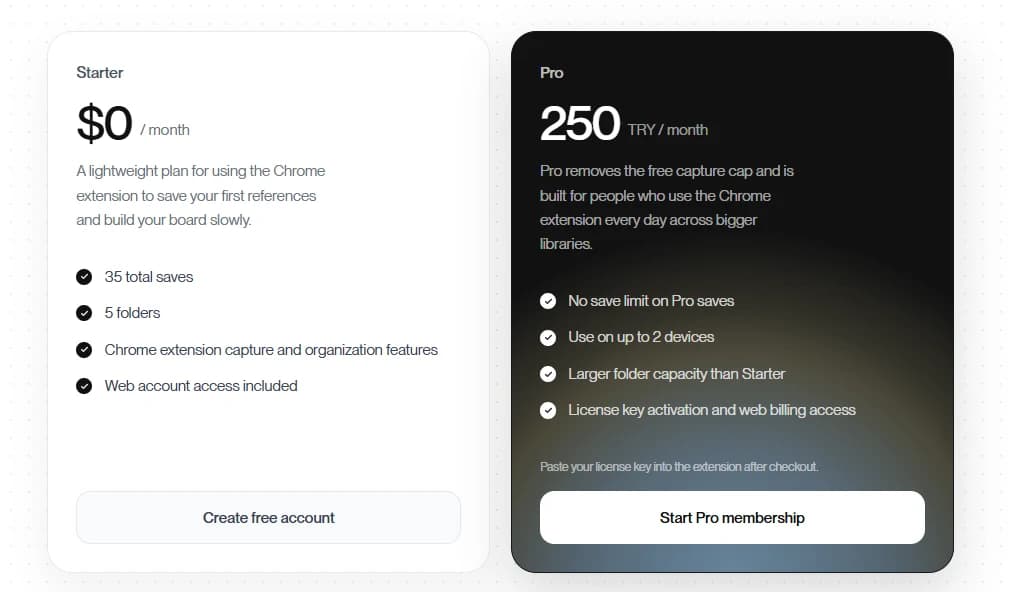
Good to know: If you hit the Free limit, you do not need to rebuild anything. Upgrade to Pro and continue using the same workflow with larger capacity.
Manage account after activation
After Pro is active, you can still open account management from the side panel to review billing, check license details, or disconnect the current device if needed.
Starter is useful for testing the workflow, while Pro is the plan for larger libraries, higher capture limits, and ongoing daily use.