
 Add to Chrome
Organize
Folders
Use folders as the practical backbone of your archive.
Folders are the simplest organizational layer in Keep Mates. They work best when they reflect how you actually retrieve things rather than how you think a perfect taxonomy should look.
Create a new folder from the sidebar
To create a new folder, use the Add button inside the Folders area in the sidebar. Keep Mates creates the new folder under the currently selected folder.
If nothing more specific is selected, the new folder is created at the project root. That makes it useful for broad top-level categories you expect to reuse often.
- 1
Open the project where you want the new folder to live.
- 2
In the Folders section, click Add to open the create folder dialog.
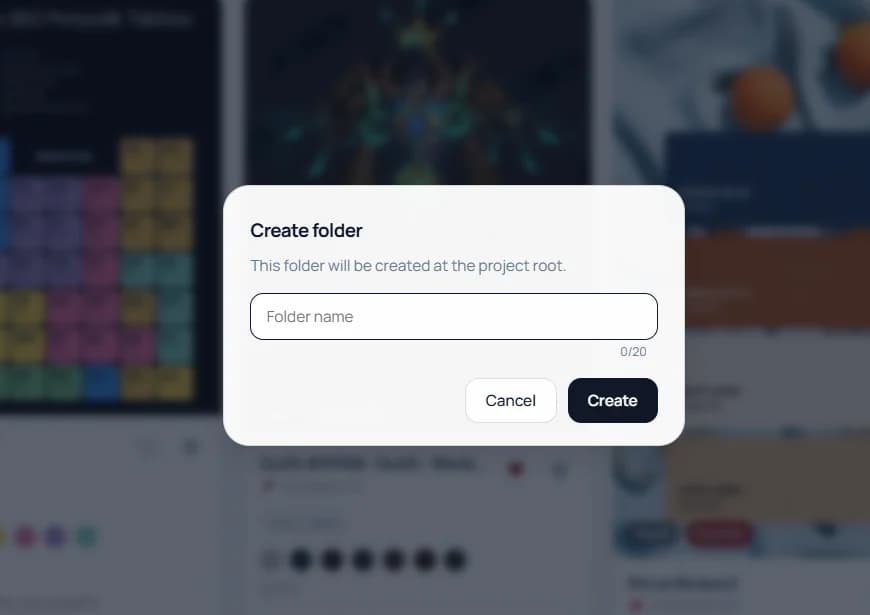
When no deeper folder is selected, the new folder is created at the project root. - 3
Enter the folder name and click Create.
Pro tip: Use top-level folders for broad areas you return to often, such as Design Inspiration, Research, Products, or Brand References.
Use subfolders for narrower categories
Subfolders are useful when one parent folder starts holding different kinds of references that deserve separation. For example, a parent folder like Design Inspiration may naturally split into smaller categories.
This is where the selected-folder behavior matters. If you select a parent folder first, the next folder you create becomes a child under that folder.
- 1
Select the parent folder you want to organize further.
- 2
Click Add while that parent folder is selected.
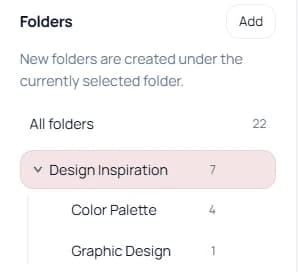
Selecting a parent folder before clicking Add lets you create smaller subcategories under it. - 3
Create the child folder so it appears as a subcategory under the parent.
Keep the structure understandable
Strong folder names are concrete and reusable. They should still make sense months later, not only on the day you created them.
Too many nested levels make the archive slower to scan, so start broad and only add subcategories where repeated use proves they are helpful.
- Design Inspiration > Color Palette
- Design Inspiration > Graphic Design
- Research > Competitors
- Products > Wishlist
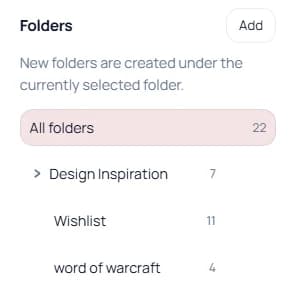
Pro tip: Use subfolders only when they make retrieval easier. If a child folder exists only for one or two saves, it may be too specific.