
 Add to Chrome
Save
Save a PDF page as a visual reference when the document itself is the source.
PDF saving helps you keep research papers, presentations, books, and other document pages close to the rest of your reference library. Save the page you are viewing when a specific spread or detail matters.
Save a PDF page as a reference
Use PDF saving for documents where the page layout, typography, diagrams, or source material should remain visible in the reference.
Keep Mates preserves the page you are viewing as a visual reference, making it easier to scan alongside saved images, links, and screenshots.
- 1
Open the PDF and navigate to the page you want to keep.
- 2
Open the Keep Mates menu from the page or browser context menu.
- 3
Choose Save as PDF reference to save the current document view.
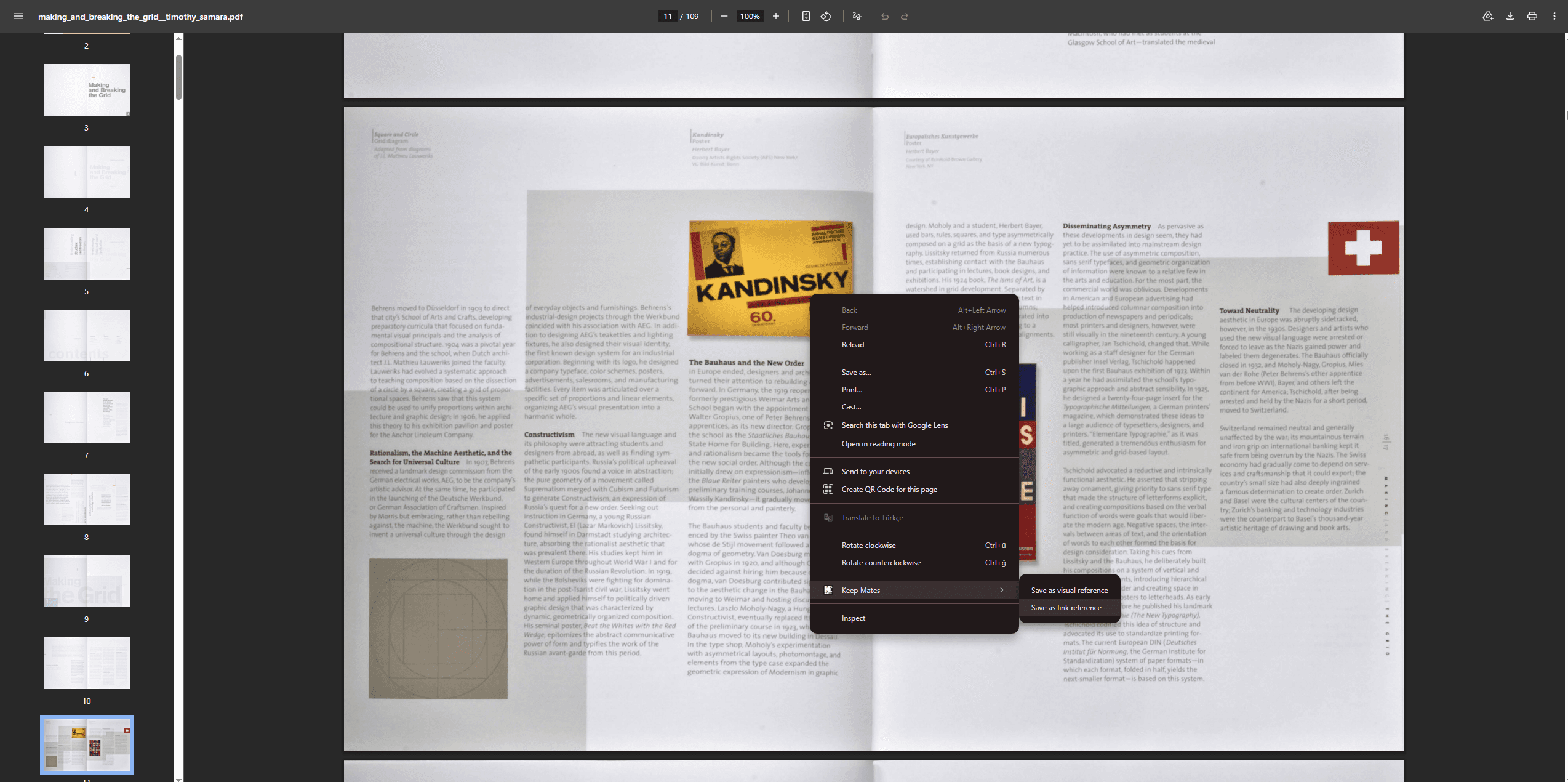
Save the current PDF view when the document page itself is the reference you want to revisit.
Pro tip: Save the specific page or spread that contains the useful detail, then add a short note with the page number or why it matters.