
 Add to Chrome
Save
Images
Save visual references without losing the page and source around them.
Images are often why a page mattered in the first place. Keep Mates works best when the image stays connected to its surrounding context instead of being stripped into an anonymous file.
When to save an image
Use image saves for inspiration, product references, visual examples, mood cues, and other assets you want to recognize quickly later.
If visual recall matters more than the page title, start with the image.
- 1
Open the image or visual detail you want to keep.
- 2
Right-click the image and open the Keep Mates menu.
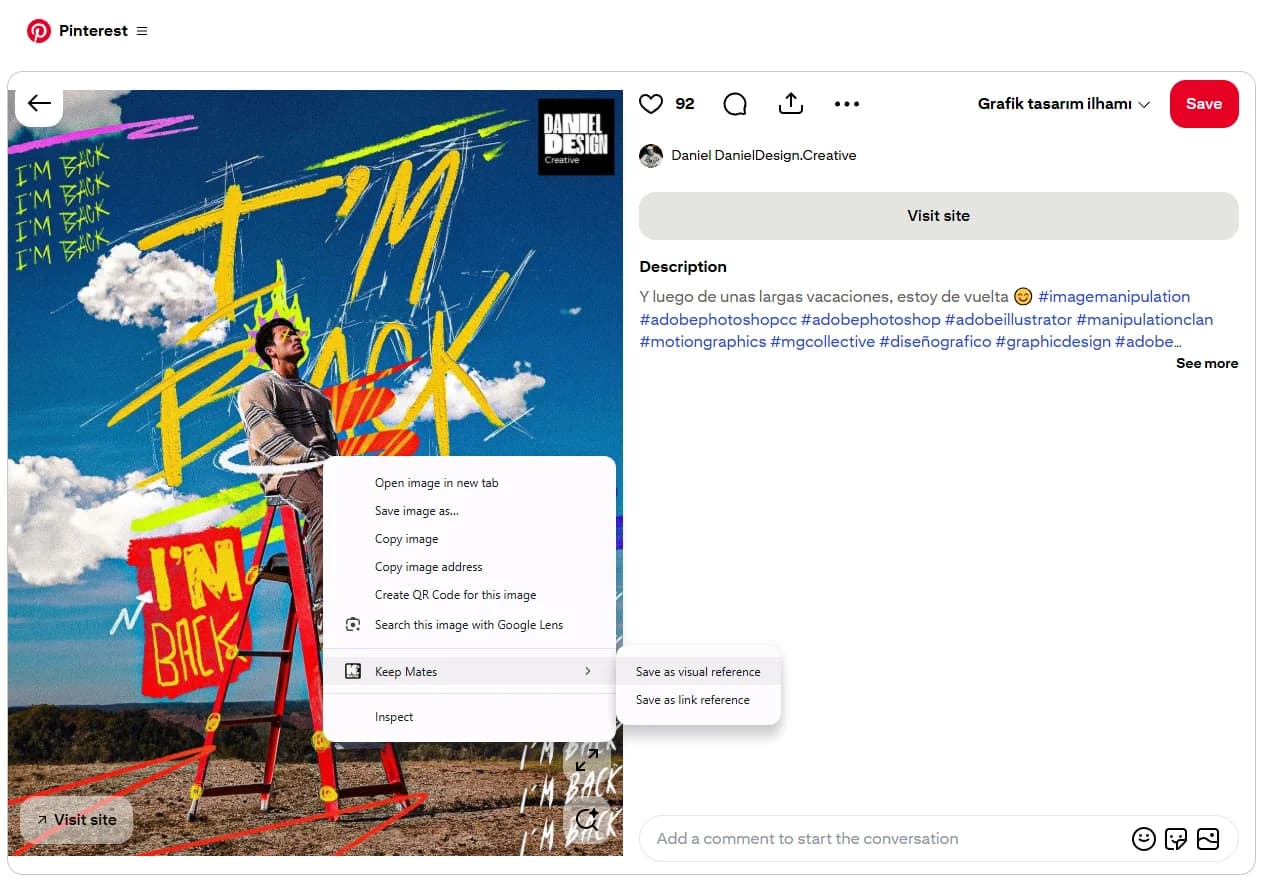
Use Save as visual reference when the image itself is the important part you want to recognize quickly later. - 3
Choose Save as visual reference to keep the image with its source context.
Pro tip: Image saves work best for inspiration, product details, mood references, and any save where visual recall matters more than the page title.
Keep the source attached
An image becomes more useful when you can still tell where it came from and why it was saved.
That source context helps even if the original page changes later.