
 Add to Chrome
Save
Screenshot
Capture a precise screenshot when the visible area is the reference you want to keep.
Screenshot saving is useful when the exact composition on screen matters more than saving the full page. Select the area you want to preserve, then save it as a visual reference with its source context attached.
Capture a screenshot from the page
Use screenshot mode when you want to keep a specific interface, layout, product detail, or visual moment from a page.
The screenshot is saved as a visual reference so you can recognize it quickly later while still keeping the original page nearby.
- 1
Open the page and the exact area you want to capture.
- 2
Open the Keep Mates menu and choose the screenshot option.
- 3
Drag across the area, then confirm with Save screenshot.
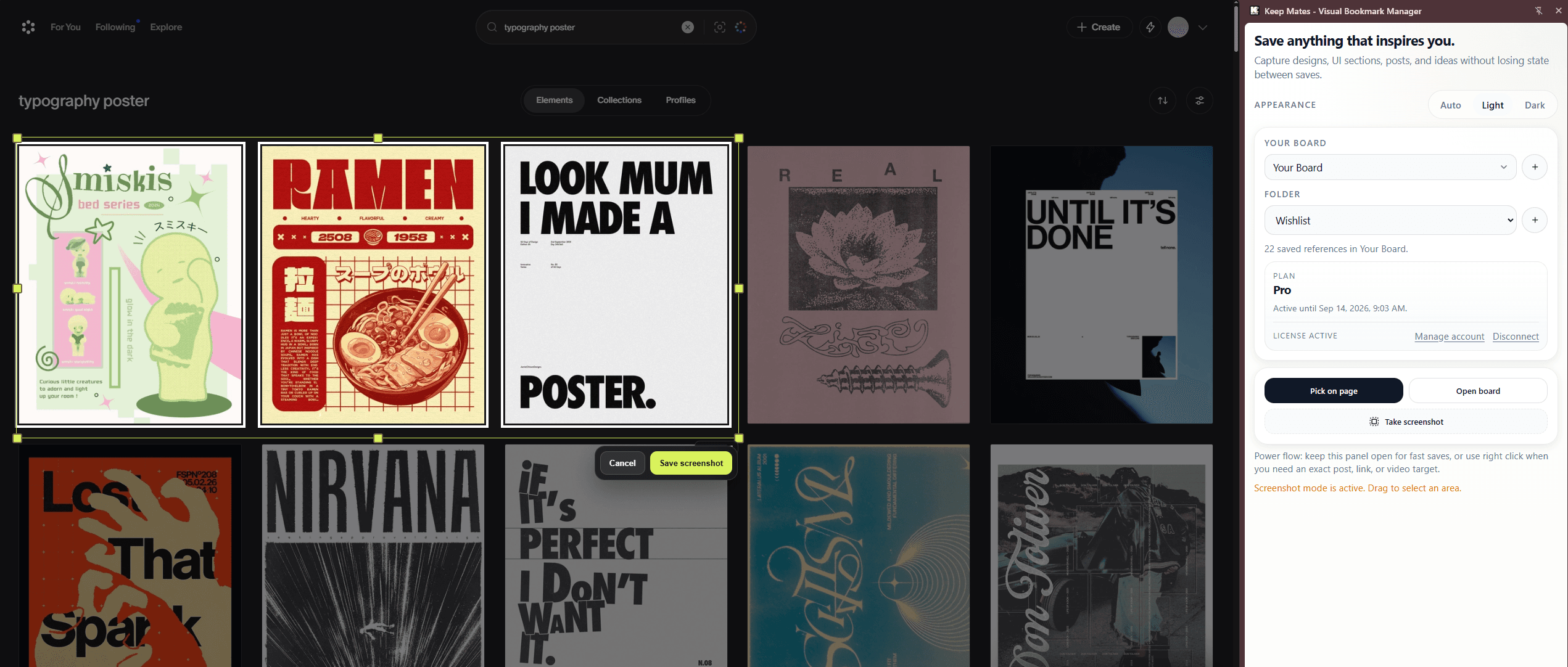
Select only the visual area you want to keep, then confirm with Save screenshot.
Pro tip: Use screenshots for UI details, compositions, and page sections where the exact visible framing matters more than the full destination.