
 Add to Chrome
Find
Filters
Use filters to narrow the archive without building a heavy system.
Filters are most valuable when they help you reduce noise quickly. They should speed up retrieval, not create another layer of complexity.
Start with the type filter
Use the type filter when you already know whether you are looking for an image, link, video, or visual save.
This is usually the fastest first filter because it removes the largest amount of noise from the board in one click.
- 1
Open the filter bar above your saved references.
- 2
Click All types to open the type menu.
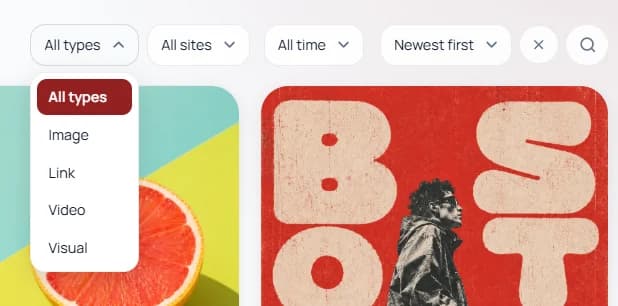
The type filter is the quickest way to narrow the library when you already know the kind of item you need. - 3
Choose the save type you want to focus on, such as Image, Link, Video, or Visual.
Pro tip: Start with type first when the board is visually mixed. It removes broad noise before you apply more specific filters.
Use the site filter to narrow by source
The site filter is useful when you remember where something came from but not exactly what it was called.
This works especially well for mixed research boards where references come from the same few domains again and again.
- 1
Click All sites in the filter bar.
- 2
Review the list of available source domains.
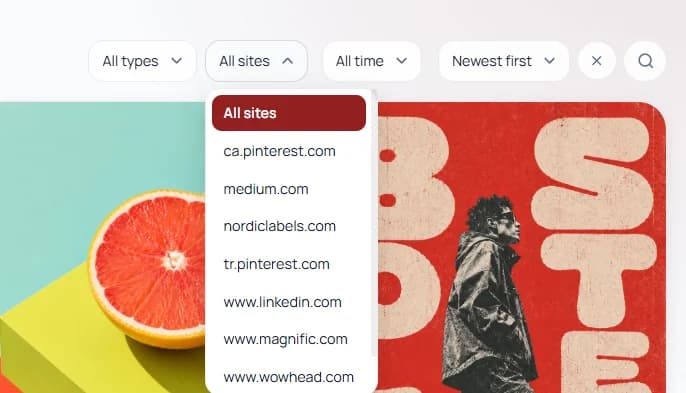
Use the site filter when source matters more than title, especially in inspiration or research-heavy boards. - 3
Choose the site you want, such as Pinterest, Medium, LinkedIn, or another saved source.
Use the time filter to narrow by recency
The time filter helps when you remember when you saved something, even if you do not remember its exact name or source.
This is especially useful for recently captured references or when you want to review only newer saves from a specific period.
- 1
Click All time in the filter bar.
- 2
Choose a range such as Today, Last 7 days, Last 30 days, Last 3 months, Last year, or a custom range.
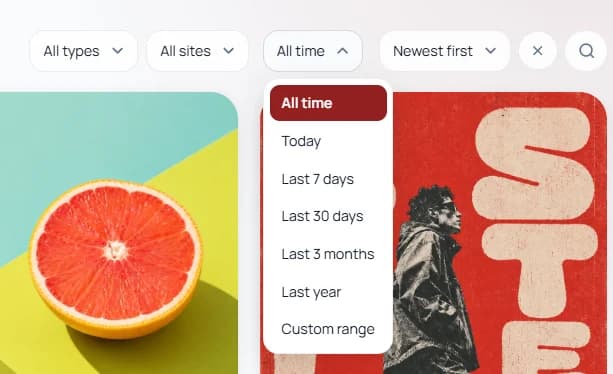
Time filters are useful when you know the save was recent or tied to a specific work period. - 3
Review the smaller time-bounded result set before adding more filters.
Use sorting after filtering
Sorting works best after you have already reduced the result set with one or two filters.
It helps you decide what should surface first once the archive is already narrowed to something manageable.
- 1
Click the sort menu such as Newest first.
- 2
Choose the ordering that fits your retrieval goal, such as oldest first, recently viewed, or favorites first.
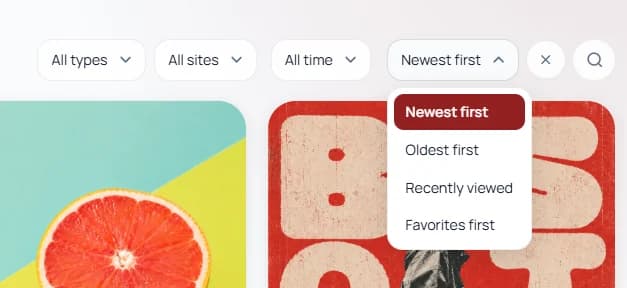
Sorting is strongest after filtering because it helps the most relevant items surface first inside a smaller result set. - 3
Combine sort with one or two filters instead of trying to use sort alone to control a crowded board.
Pro tip: Good filters complement folders, boards, and tags. If you need too many filters just to understand the archive, the base structure may be too broad.