
 Add to Chrome
Account
Import / Export
Move bookmarks in and out of Keep Mates without losing structure or local control.
Import and export belong together in a local-first product. Import helps you bring valuable references in quickly, while export gives you a portable snapshot before migrations, resets, or browser changes.
Import a previously exported project
Use import when you already have a project export from Keep Mates and want to restore that reference library into the app again.
The import modal accepts a previously exported JSON project file so your saved references can be restored in one step.
- 1
Open the import flow for the project you want to restore.
- 2
Drag and drop the exported JSON file into the import area, or click Browse Files to pick it manually.
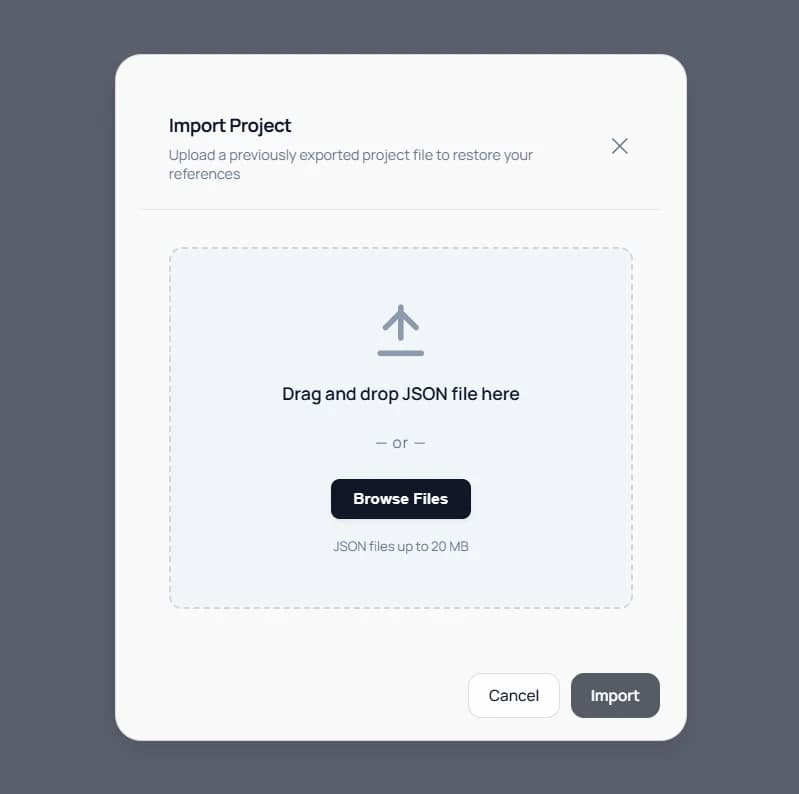
Import restores a previously exported project from a JSON file back into Keep Mates. - 3
Confirm the import so Keep Mates restores the saved references from that project file.
Pro tip: Import works best with clean project exports you recognize. If you are restoring older backups, review the imported structure before continuing to save into it.
Export a project as a JSON backup
Export creates a JSON backup of the current project so you can move it, archive it, or restore it later if needed.
The export dialog shows a quick summary of the project before download, including the project name, total references, folder count, and file size.
- 1
Open the export flow for the project you want to back up.
- 2
Review the export details so you know which project and reference set will be downloaded.
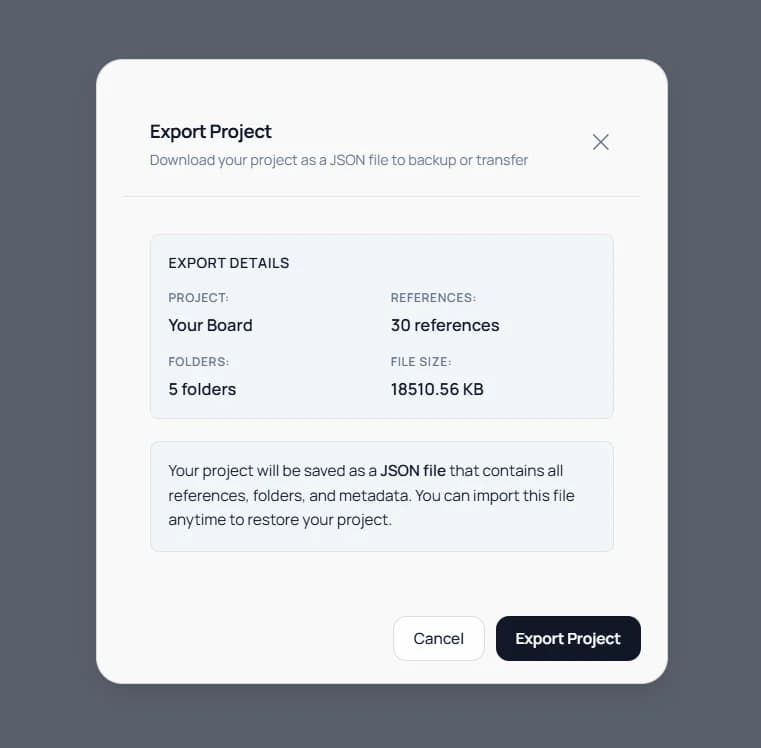
Export downloads the current project as a JSON backup that can later be imported again. - 3
Click Export Project to download the JSON backup file.
Pro tip: Export before changing Chrome profiles, clearing browser data, reinstalling the browser, or moving to a new device.
Keep the workflow clean
Treat import as a cleanup moment and export as a maintenance habit. Merge duplicates, rename vague folders, and keep a verified backup before making bigger changes.
- Export before browser resets or profile changes
- Use import for project restores, not as a daily workaround
- Review imported folders, notes, and references after restoration